Frequently asked questions
Short answers, grouped by theme. Click a question to open it. Every answer links to the page that explains it in full. The search box at the top finds words inside closed questions too.
Which copy do I need?
CamelGraph comes in two copies: the same program with the same features, and a different licence.
| Are you using it for work or in a paid project or product? | Get |
|---|---|
| Yes | The professional copy for the Autodesk App Store. It is coming soon. Until it is there, get in touch through bimcamel.com. |
| No | The free copy from GitHub releases or bimcamel.com. |
"Personal use" in practice:
| Personal use (free) | Professional use |
|---|---|
| A student learning CamelGraph | A contractor's BIM coordinator running checks on a live project |
| A hobbyist trying it on their own models | A consultancy producing deliverables for clients |
| A university research group | An in-house team at a company |
This is not legal advice. The text of the licence counts. See Licence.
The basics
What is CamelGraph?
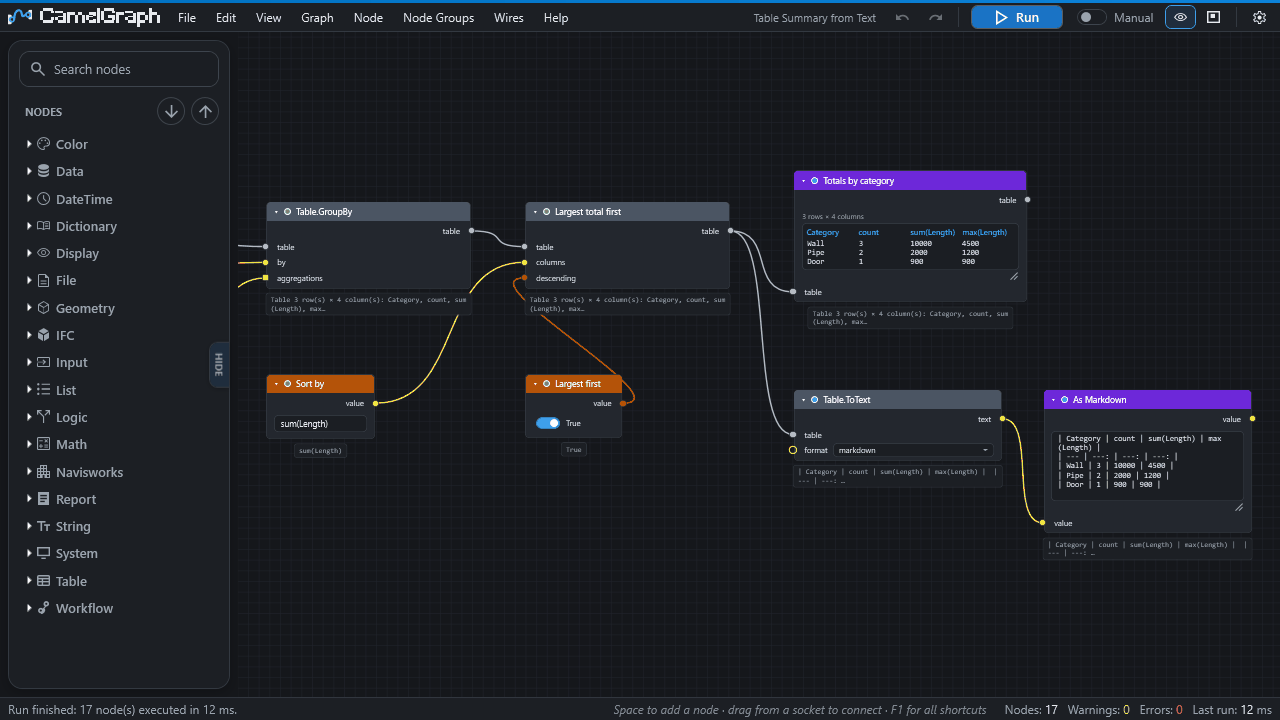
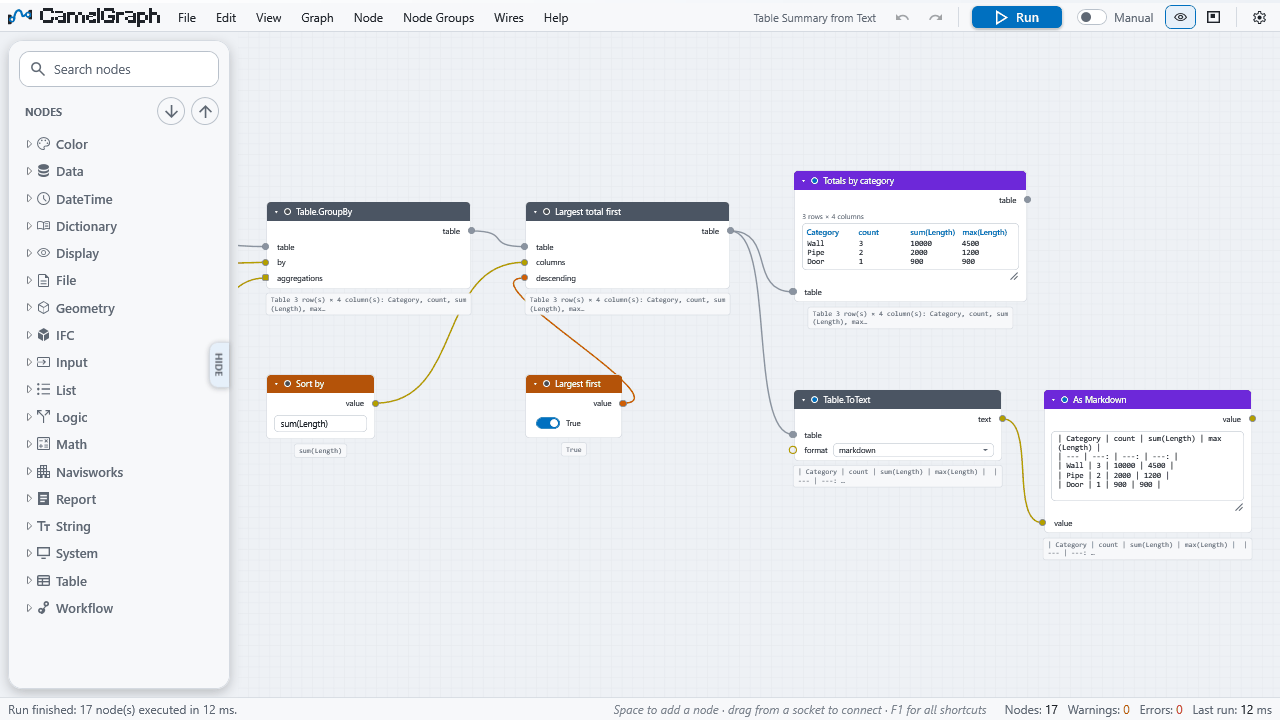
A visual programming add-in for Autodesk Navisworks. You build a graph of nodes on a canvas and run it against the open model, instead of clicking through the same steps by hand or writing code. It follows the ideas Dynamo made familiar in Revit. See Concepts.
Is CamelGraph the same as Dyncamelo?
Yes. CamelGraph is the new name of Dyncamelo (versions up to 0.48): the same program, the same node library, the same .dyc graph files and the same free personal-use copy. The installer, the plug-in files and the folders carry the new name too. Installing the new version replaces the old install, and your settings, recent files and scripts carry over. Your saved graphs open as before.
Is it free?
The copy from GitHub or bimcamel.com is free for personal use: learning, hobby projects, research, charities, schools and universities, public research bodies and government institutions. Using it for your job at a company, or in a paid project or product, needs the professional copy, which is coming soon to the Autodesk App Store. Until it is there, get in touch through bimcamel.com. See Licence.
Which versions of Navisworks does it support?
Navisworks Manage and Simulate 2024, 2025 and 2026 on 64-bit Windows. Other products and years are not supported. Only Manage 2024 has been seen running it in the field so far; see Requirements.
Do I need Simulate or Manage?
Either. The clash nodes need Manage, because Simulate does not include Clash Detective.
Do I need to know how to program?
No. A graph is built by dragging and wiring nodes. If you want a node that does not exist, you can write one as a single C# method (Writing your own nodes).
Can it open my Dynamo graphs?
No. CamelGraph has its own graph format (.dyc) and its own node library, built for Navisworks. It does not run Dynamo graphs or Revit nodes.
How many nodes are there?
More than 570, in about 46 categories, from maths and text to clash triage. Browse them in the node library, or press Space in the editor to search.
What do the words mean?
The Glossary explains every term with a link to the page that covers it.
Installing
Where is the installer?
On the releases page and at bimcamel.com (Installation). Some releases carry the source code only, with no installer; the page explains how to build and install from source.
Do I need administrator rights?
No. The installer works per user. Only an install for all users, or into the classic Navisworks Plugins folder, writes somewhere that needs them.
Can I install it for all users of a computer?
Yes. Copy the bundle to C:\ProgramData\Autodesk\ApplicationPlugins\ instead of your own folder. That needs administrator rights and the files must be unblocked. See tab C of Choose how to install.
Windows SmartScreen warns about the installer.
The installer is not code-signed unless the publisher set a certificate up. Compare its SHA-256 checksum with the one published next to it, then choose More info ▸ Run anyway.
Navisworks shows PLUGIN_LOAD_02 when it starts.
Windows still marks the DLLs as downloaded. Run Get-ChildItem "$env:APPDATA\Autodesk\ApplicationPlugins\CamelGraph.bundle" -Recurse -File | Unblock-File in PowerShell and restart Navisworks. The installer does this for you. See Troubleshooting.
I cannot find the CamelGraph button.
Look on the BIMCamel ribbon tab, panel Visual Programming. If it is not there, see Troubleshooting.
How do I know which version I have?
Click About on the BIMCamel tab, or look at the start screen of an empty canvas. Updating lists the other places.
How do I remove it?
Uninstalling. Your graphs and settings stay unless you delete them.
First steps
Where do I start?
Your first script takes about ten minutes. The sample scripts are on the start screen of an empty canvas.
Do I need a model open?
For most nodes, yes. CamelGraph works against the active Navisworks document. A few nodes, such as the maths and text nodes, run without one, and the sample Getting Started - Math and Watch needs no model. See Requirements.
How do I add a node?
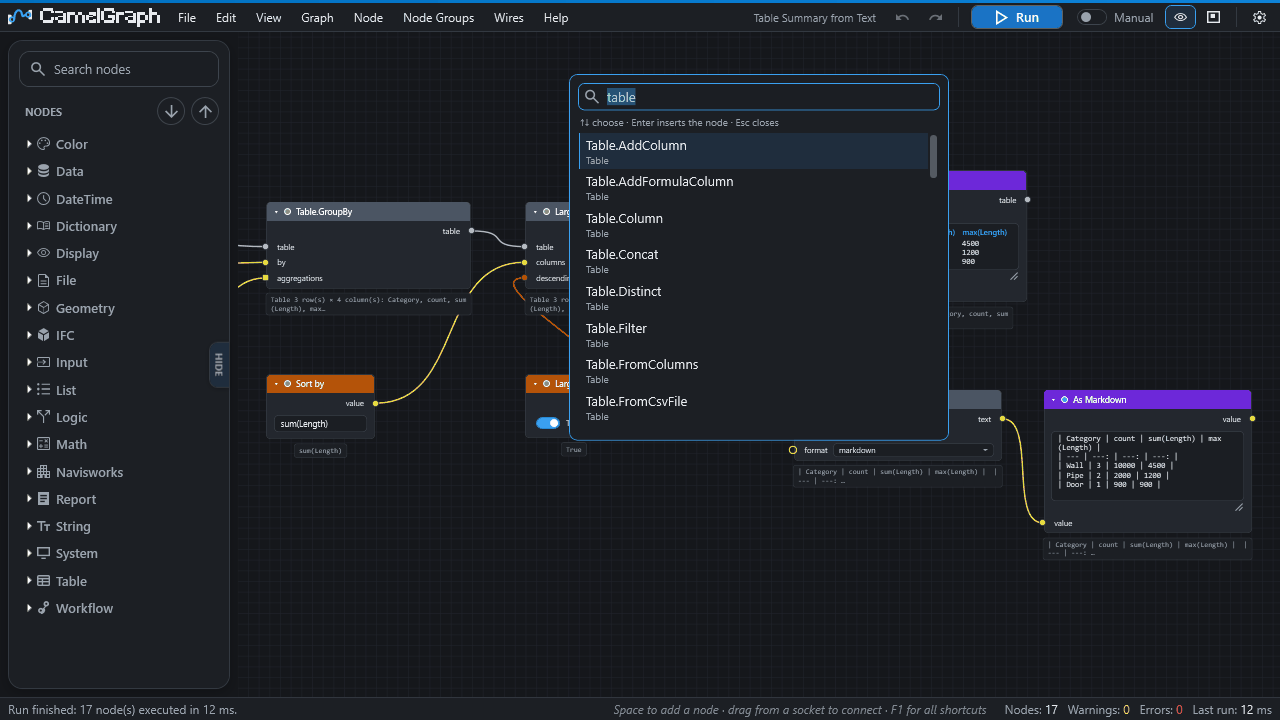
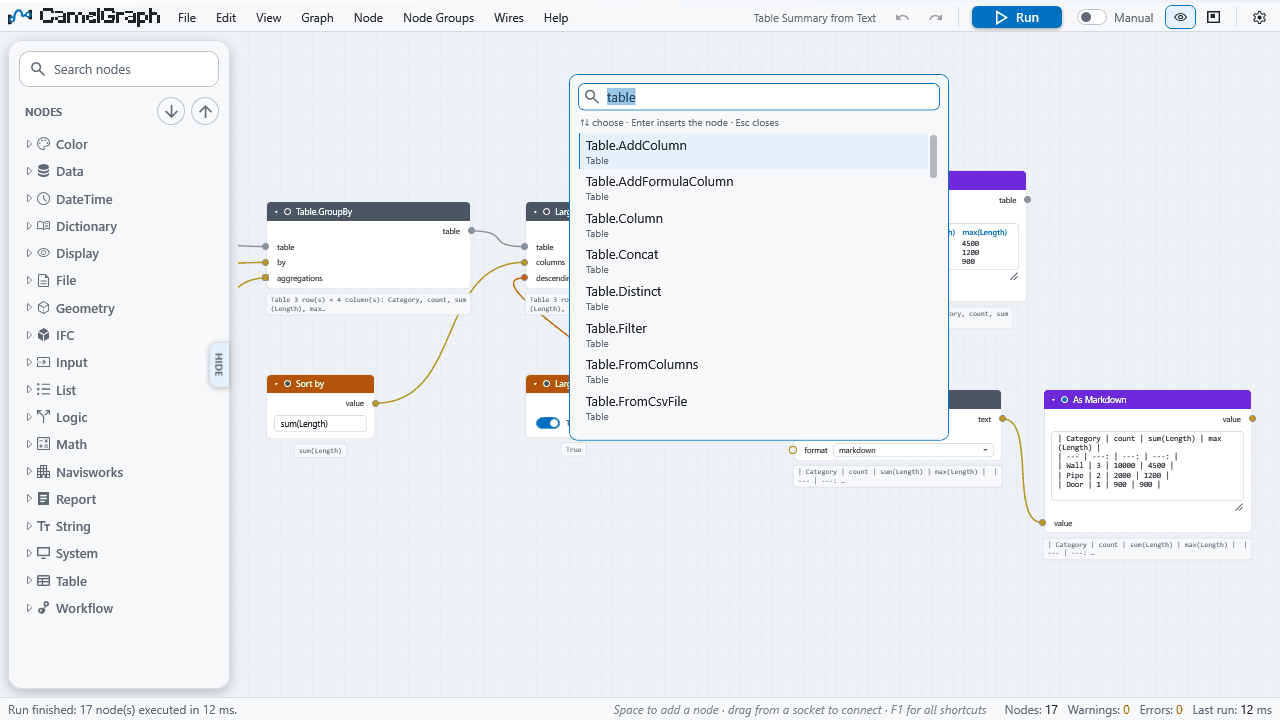
Press Space over the canvas, type part of its name and press Enter. You can also double-click it in the library on the left, or drag it onto the canvas. See Node library and search.
How do I see the value a node produced?
Wire the output into a Watch node, or look at the small preview bubble under the node after a run. Hover a socket to see its type and the value it holds. See Inputs, outputs and kinds.
Where can I find a step-by-step guide for my job?
The How-to guides in the menu cover colouring, selection sets, quantities, clash reports, BCF, IFC, viewpoints and more, each with a graph you can download. Start with Colour elements by a property.
Using the model
Does a graph change my model?
Only if it contains nodes that do. Reading nodes (search, properties, selection) do not. Writing nodes change the open document: colour, hide and transparency overrides, selection sets, viewpoints, custom properties, transforms. The description of every node in the node library says what it does. The source files of the model (a Revit file, an IFC) are never modified; custom properties, for example, travel with the NWF or NWD only.
Can I undo what a graph did?
Use the nodes made for it (Appearance.Reset, Appearance.ResetAll, Appearance.ResetTemporary, Appearance.ShowAll), or close without saving the model. Whether one Navisworks Undo reverses a whole run has not been confirmed, so save the model first. The editor's own undo changes the graph only. See Running a graph.
Can one graph run for every project?
Yes. A graph stores no results and uses the active document, so open it with any model and run it. Pin down only what is specific to a project (names, levels, folders) in input nodes or in the values on the nodes.
Search and properties
Why did my search find nothing?
The tab and property names must be the ones Navisworks displays, including their language. Select an element in Navisworks and use the magnifier next to the name boxes to pick them from a list. See Troubleshooting.
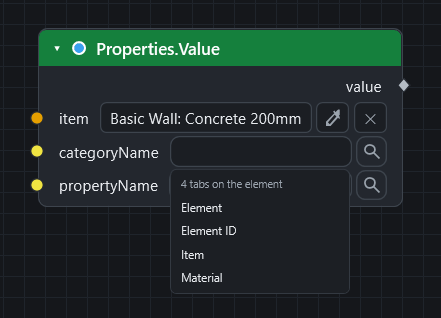
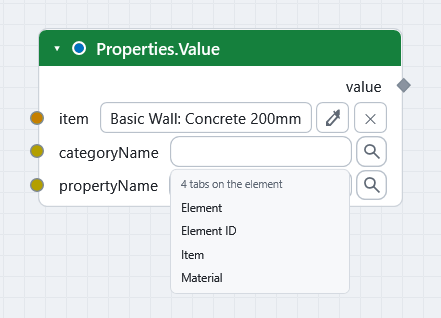
How do I find the exact name of a tab or property?
Use the magnifier, or send a few selected items through Properties.Discover into a Watch Table to list everything they carry. See Find the name of a tab or property.
How do I search for numbers, such as pipes with a diameter over 100?
Use Search.ByProperty and choose >, >=, < or <= in the mode drop-down. Wire a Number node into the value input; the number is in document units. The other modes are equals, contains, wildcard (* matches any text, ? one character) and exists (the item carries the property, whatever its value). Wire a list into value to match any of its entries in one pass over the model. See the Search nodes.
Is the text search case sensitive?
The documentation of the contains search says it is case sensitive, like Find Items, so type the capitals as Navisworks shows them. If a search finds less than you expect, wire the result into a Watch List and try wildcard. See the Search nodes.
Can I search on two properties?
Yes. Chain searches: wire the items of a Search.ByProperty into the within input of a second Search.ByProperty, which then looks only inside the items it is given (and their descendants). The second search can use any mode. Search.InItems does the same for equals and is retired. See Search nodes.
What is the difference between a selection set and a search set?
SelectionSet.Create keeps the items it was given. A search set keeps a rule and follows the model when it changes. See Save selection sets.
Lists and lacing
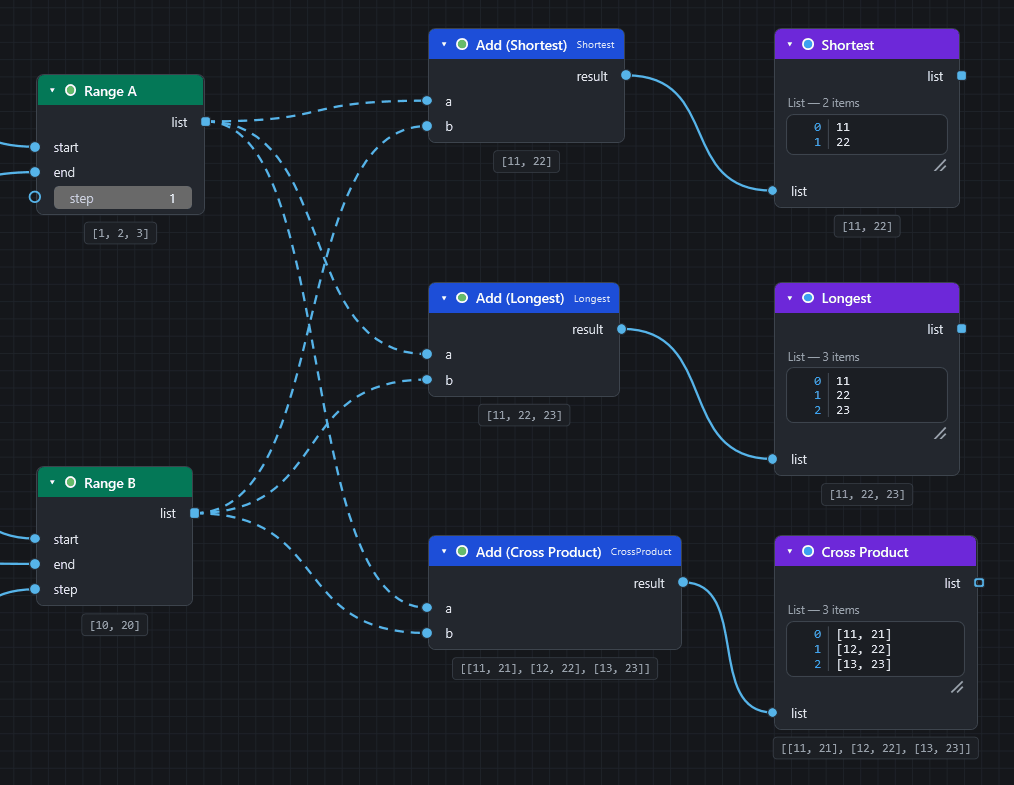
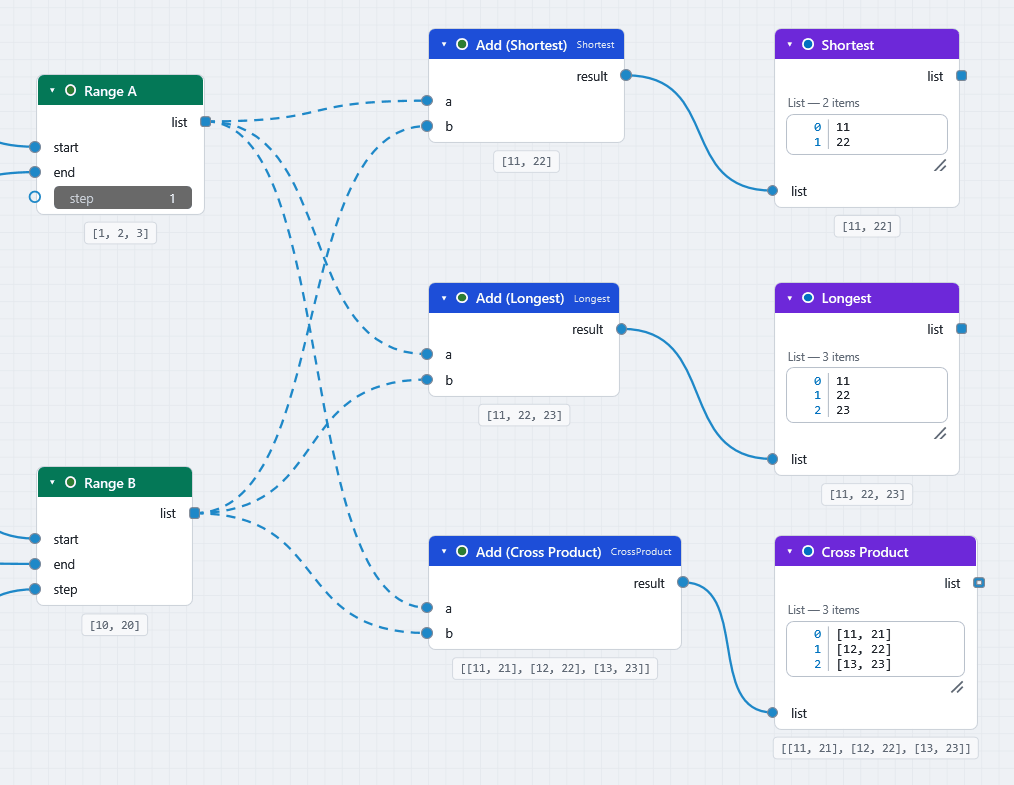
What do the dashed wires mean?
A list is going into an input that expects one value, so the node runs once per item. See Concepts.
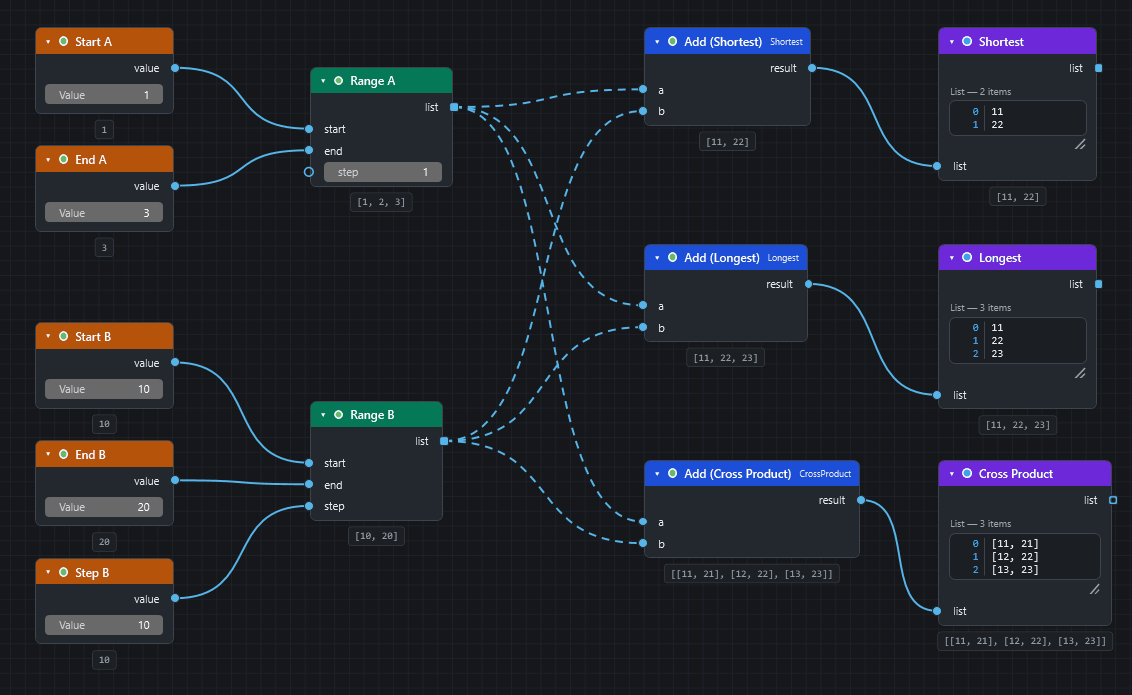
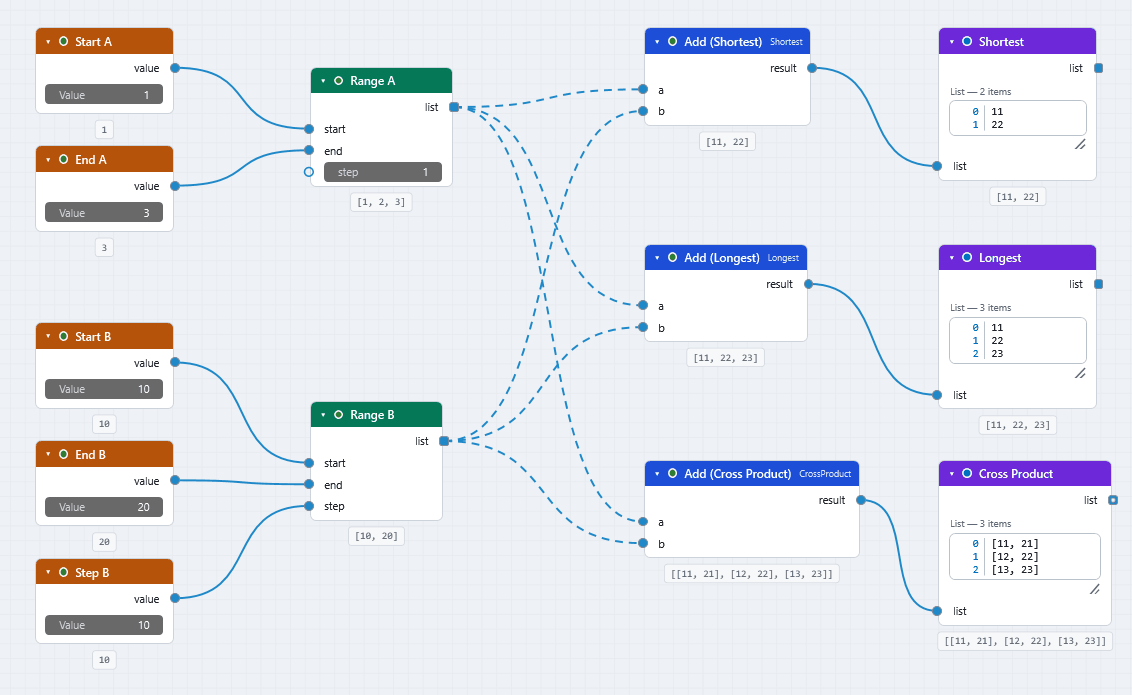
My list of search values did not run the search once per value.
Inputs of kind Any, such as the value of Search.ByProperty, take a whole list as one value. They also have no box of their own: you wire a String or Number node into them. Only inputs that want a single text, number or item run once per item by themselves. Right-click the socket, choose List Levels and then @L1 — items. See Your first script.
What is lacing?
The rule for pairing two lists that both go into one-value inputs: Shortest (the default), Longest or Cross-Product. Right-click the node to change it.
A list has empty items. How do I remove them?
Put List.Clean after the node that made them. A node that gets an empty item inside a list returns an empty result for it, and shows one amber warning that counts them. See Concepts.
Can I wire several searches into one input?
Yes, if the socket is a pill. A pill takes any number of wires and combines them into one list in the order the wires were made. See Inputs, outputs and kinds.
Running
Why does nothing happen when I press Run?
Run only executes what changed. If nothing changed, nothing runs. Change an input, or check for frozen nodes, a false Flow.When, or an empty required input. See Troubleshooting.
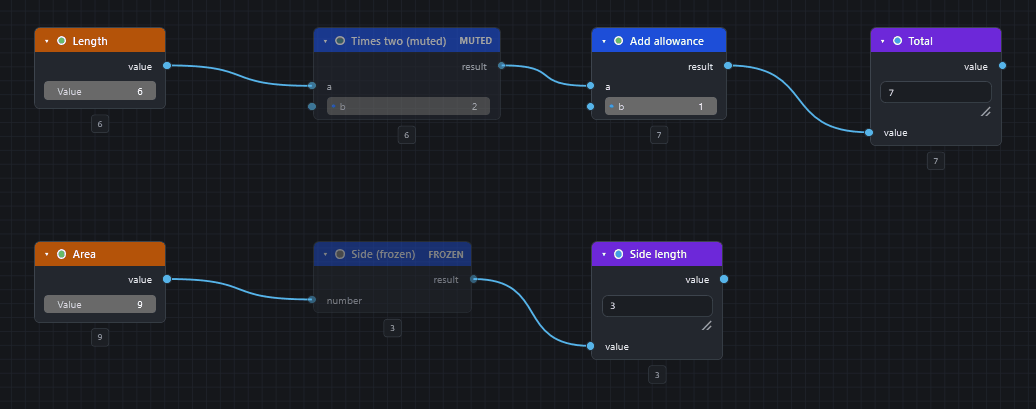
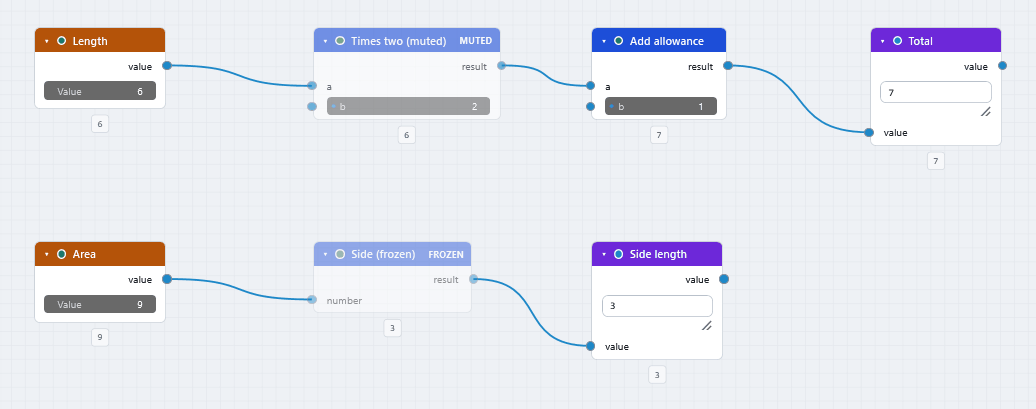
What is the difference between muting and freezing a node?
A muted node (M) is bypassed: it passes its first matching input straight through and everything after it still runs. A frozen node (Shift+M) and everything after it is skipped and keeps its old results. Mute switches a step off inside a live chain; freeze stops a whole slow branch from recomputing. See Running a graph.
A node is red. What now?
Hover it for its message, press I with it selected, or open the Errors count in the status bar. See Read errors and warnings and Running a graph.
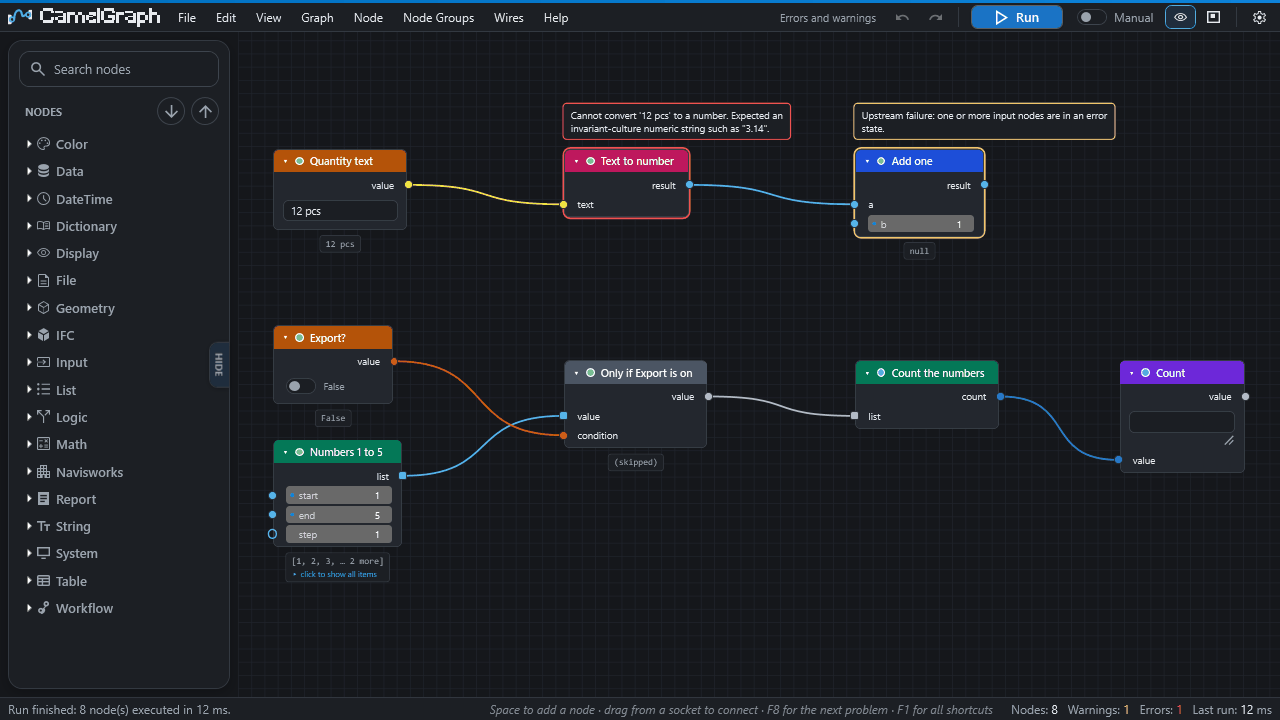
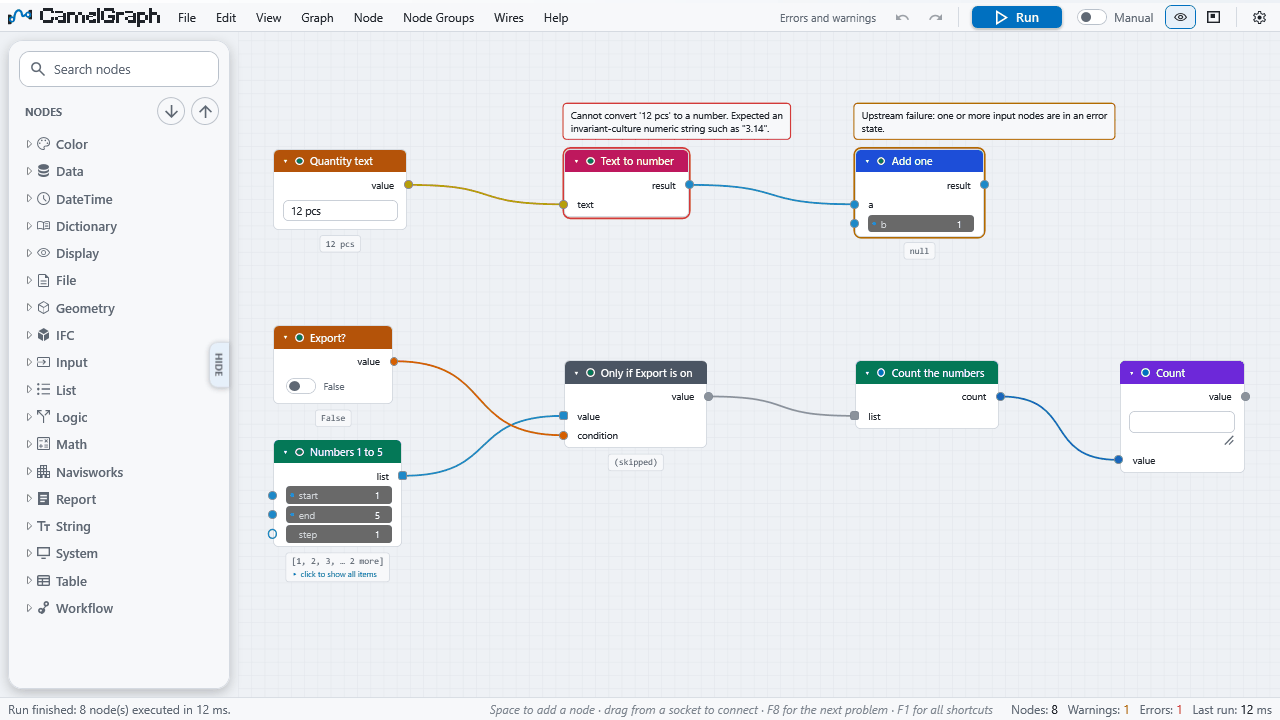
Do I have to press Run after every change?
In Manual mode, yes. Switch the run bar to Auto and a run starts after every edit; only the nodes after your edit run again. Leave Auto off on large models. See Running a graph.
How do I stop a run?
Press Esc. The run halts before the next node. What finished nodes already changed in Navisworks is kept, and the next Run carries on where it stopped. See Running a graph.
Navisworks is busy while my graph runs. Is that normal?
Yes. Runs happen on the Navisworks main thread, so Navisworks waits until the run ends. A progress overlay shows which node is working. See Speed up a slow graph.
Can I run graphs automatically, without a person?
The plug-in CamelGraph.Run.DYNC runs a script by path for the Navisworks Automation API and the Batch Utility, and the command-line tool runs graphs that use only the general nodes. See Running a graph.
Where are my graphs and settings?
Graphs are .dyc files where you saved them. Settings, the error log and autosaved copies are in %APPDATA%\CamelGraph. See Privacy and safety.
My graph was lost when Navisworks closed.
If Autosave was on (it is by default), CamelGraph offers the autosaved copy the next time the editor opens on an empty canvas. See Troubleshooting.
Clash and BCF
Do the clash nodes work in Simulate?
No. Simulate does not include Clash Detective, and the clash nodes report "Clash Detective is not available in this Navisworks edition." Use Manage. See Make a clash report.
Can a graph create and run clash tests?
Yes. ClashTest.Create, ClashTest.Run and Clash.RunAllTests are in the library (Navisworks ▸ Clash), next to the filters, groupings and result nodes. See the Clash nodes.
Which BCF versions are supported?
BCF.ImportIssues reads BCF 2.0 and 2.1. BCF.ExportIssues writes BCF 2.1. See Send clashes to BCF.
Another tool does not find the elements of my BCF file.
Elements are identified by their IFC GlobalId when the item has one, and by its InstanceGuid otherwise. For models that did not come from IFC this can be lossy. Add IFC GlobalIds to the source model when the receiver must match elements. See IFC, BCF, Excel and CSV.
IFC, Excel and CSV
Do I need Excel installed?
No. CamelGraph reads and writes .xlsx files itself. The old .xls format is not supported. See IFC, BCF, Excel and CSV.
Does the IFC export need another plug-in?
No. The export engine ships inside CamelGraph. See Export model items to IFC.
Which IFC versions can it write?
IFC4 (the default) and IFC2x3, set with the schema input of Export.ToIfc. See Export model items to IFC.
A file node fails with 'access denied'.
The folder is one you cannot write to. A relative path goes next to the graph file (or into Documents\CamelGraph for a graph you have not saved), so save the graph somewhere you can write, or give a full path, for example C:\Users\you\Documents\report.xlsx. See Troubleshooting.
Dates from Excel arrive as numbers.
Excel.ReadFromFile gives dates as Excel serial numbers. See IFC, BCF, Excel and CSV.
Will writing to an existing workbook keep my formulas and styles?
No. append adds a sheet to an existing workbook, but styles and formulas that were not written by CamelGraph are not preserved. Write to a new file when the formatting matters.
How do I put spreadsheet data back into the model?
Join the sheet to the model's items by GUID and write the columns with Properties.SetCustom. See Write spreadsheet data onto model items.
The Script Player
How do I give a graph to a colleague who does not use the editor?
Save it in Documents\CamelGraph\Scripts (or a shared folder added in the Player), give it input nodes for what should change, and they run it from the Script Player. A colleague who only needs the result can also be given the output of the graph, such as the Excel file. See Give colleagues a form.
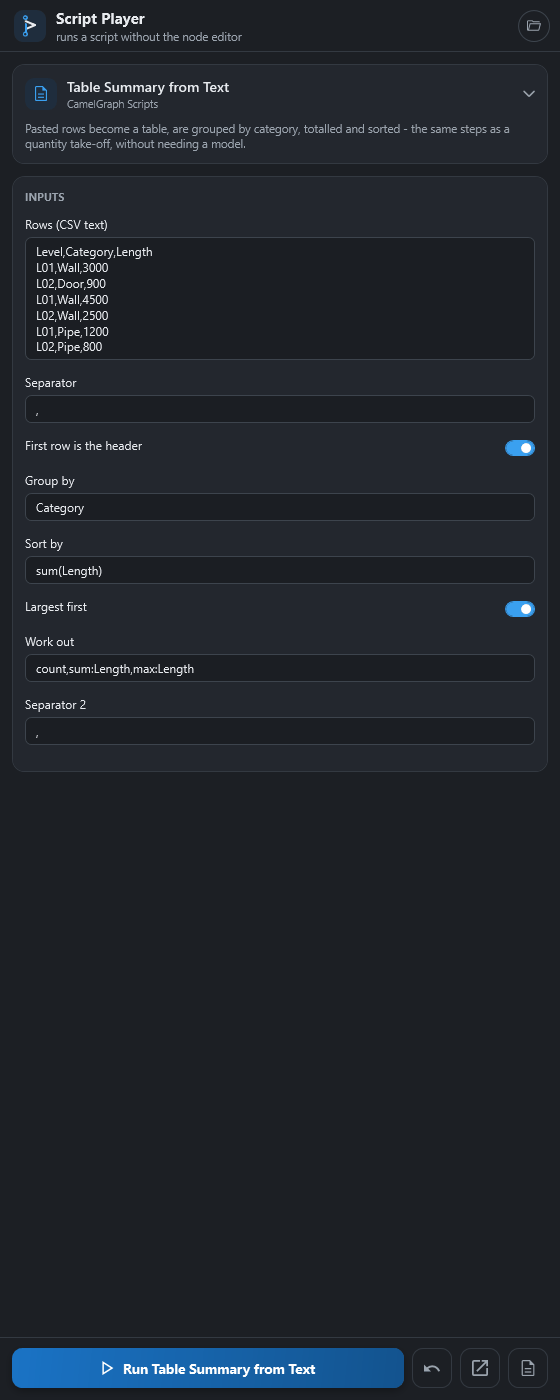
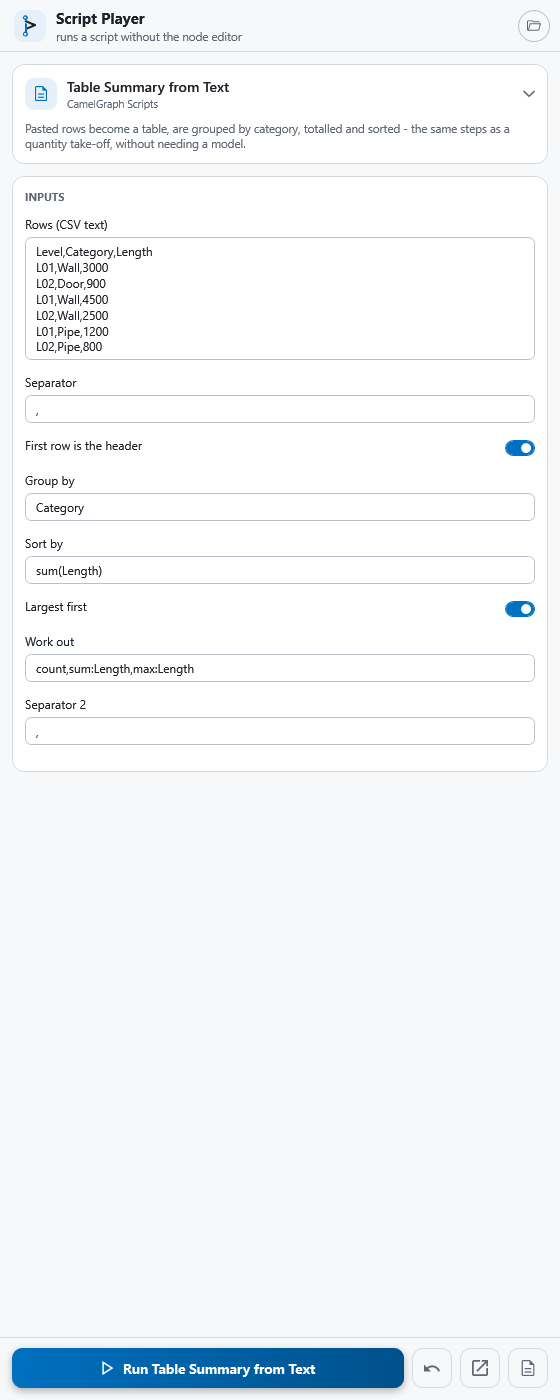
Which nodes become fields in the Player?
Every input node (Number, Integer, the sliders, Boolean, String, Date, Choice, File Path, Directory Path, Color Picker), plus any unwired input you chose to show. Inputs inside a node group are not offered. See The Script Player.
Why does the Player ask 'Run it?'
The script contains nodes that change the model, write files, run programs or use the network. The Player lists them and asks the first time, and again whenever the file changes. See Troubleshooting.
Does the Player remember what I typed?
Yes, for each script, in your CamelGraph settings on your computer, not in the script file. ↺ puts a field back to the saved value. See The Script Player.
Safety and privacy
Does CamelGraph send my model or data anywhere?
No. It has no account, analytics or licence server. Its one network request is a once-a-day look for a newer version, which you can switch off. See Privacy and safety.
Is it safe to run a graph someone sent me?
Treat a .dyc like a macro. A graph contains no code of its own, but its nodes can run programs, call web addresses, write, delete or overwrite files, and change the model. CamelGraph lists such nodes and asks before it runs a graph from a file. Look at a graph before you run it, and try it on a copy of the model. See Privacy and safety.
Are node packs safe?
A node pack is code. CamelGraph loads every .dll in your node packs folder (%APPDATA%\CamelGraph\Packages) when Navisworks starts, and that code runs inside Navisworks with your rights. Install packs only from authors you trust. See Privacy and safety.
Should I save the model before I run a graph?
Yes, when the graph changes the model. A run is not atomic: if it is cancelled or a node fails, nodes that already ran have already changed the model. See Running a graph.
Troubleshooting
The editor says 'Something went wrong'.
CamelGraph's crash guard caught a failure in its own code. Save your graph, then look at %APPDATA%\CamelGraph\errors.log. See Troubleshooting.
A graph opens with a warning or with missing nodes.
The file was saved by another version or needs a node pack you do not have. The missing node is kept as a placeholder, so saving loses nothing. See Troubleshooting.
How do I report a bug or ask for a feature?
Write to [email protected], or on GitHub: https://github.com/mrshoma99-rgb/dyncamelo/issues. The bug report form asks for the CamelGraph and Navisworks versions, the end of %APPDATA%\CamelGraph\errors.log and the result of Help ▸ Copy Diagnostics. See Troubleshooting. Security problems go through the private route described in Privacy and safety.
Is there a quick check that the Navisworks nodes work on my model?
Yes. Help ▸ Run Self-Test… runs a set of read-only Navisworks nodes on the open model and shows pass or fail for each. Run it once after installing, especially on 2025 or 2026. See Requirements.
For developers
How do I write my own node?
A public static C# method with a couple of attributes is a node. Writing your own nodes has a tutorial for a zero-touch node pack, including nodes that use the Navisworks API.
Where do I put a node pack, and how does CamelGraph load it?
Copy the pack (its .dll and the files it needs, in a folder of its own) into %APPDATA%\CamelGraph\Packages and restart Navisworks. Help ▸ Node Packs… opens that folder and lists what was loaded and what was not. Updating CamelGraph leaves the folder alone. There is no button to load a pack while Navisworks runs. See Writing your own nodes.
Can I contribute nodes?
Yes. Writing your own nodes describes the pack format. Pull requests are welcome; read CONTRIBUTING.md in the repository first.
Can I run a graph from the command line?
The command-line tool CamelGraph.Cli, built from source, runs graphs that use only the general nodes, with no Navisworks. It exits with 0 when no node failed, 1 when one did and 2 for unreadable input, and it never asks before running. See Running a graph.
Can another add-in or the Batch Utility run a script?
Yes, through the plug-in CamelGraph.Run.DYNC: Execute("C:\\Scripts\\audit.dyc"). It returns 0 when no node failed and 1 otherwise, and asks the same confirmation as the Player. See The Script Player.
Is CamelGraph connected to Autodesk?
No. It is not affiliated with or endorsed by Autodesk. Autodesk, Navisworks, Revit and Dynamo are trademarks of Autodesk, Inc. See Licence.