Recipes by role
Short node chains for the jobs people use CamelGraph for. Each recipe names the nodes (find them with the library search or Ctrl+Shift+P) and says what to wire; the sample graphs in samples/ show some of them built. Every node named here is in the node catalogue; a name that is not there fails the check described at the end of this page.
Two ideas make most of these short:
- A list on a single-value input runs the node once per item (lacing), so
Properties.Valuewired to a list of items gives a list of values, andMath.Formulaover a list of numbers gives a list of results. - A table is one wire.
Table.FromRows,Table.FromDictionaries,Properties.ToTableandTable.FromExcelFilemake one;Table.Filter,Table.Sort,Table.GroupBy,Table.Joinand friends change it;Watch Table,Table.ToExcelFile,Table.ToCsvFile,Report.HtmlandTable.ToTextshow or publish it.
BIM coordinator
Clash matrix from selection sets. SelectionSets.All (twice, filtered by name with List.FilterByValue) → ClashTest.Create with cross product lacing: one test per pair of sets. A re-run finds the tests already there and keeps them with their results (ifExists is reuse); choose update to apply new selections to them, replace to start them empty.
Triage and report. Clash.Tests → Clash.SummaryTable (clash counts per test and status, as rows and headers, or as one table) → Table.FromRows (not needed with the table output) → Report.Html → Text.WriteToFile. Add Table.Sort before the report to put the test with the most clashes first. For one test floor by floor, take it with List.GetItemAtIndex and use Clash.GroupResultsByLevel (it takes the test, your level names and their elevations); ClashTest.Results and Clash.FilterByStatus work on the results of a test.
Keep a history. DateTime.Now → DateTime.Format for the file name; Clash.SnapshotToFile each week, Clash.CompareSnapshots against last week's file; CSV.AppendToFile adds one row of totals per run instead of overwriting.
Only act when something is there. List.Count of the new results → Logic.Compare (> 0) → Flow.When → the export or the e-mail step. When the condition is false everything after Flow.When is skipped and shown idle, not red.
Edit a test without re-creating it. ClashTest.ByName → ClashTest.Duplicate → ClashTest.Edit (tolerance), then ClashTest.Run.
BIM manager
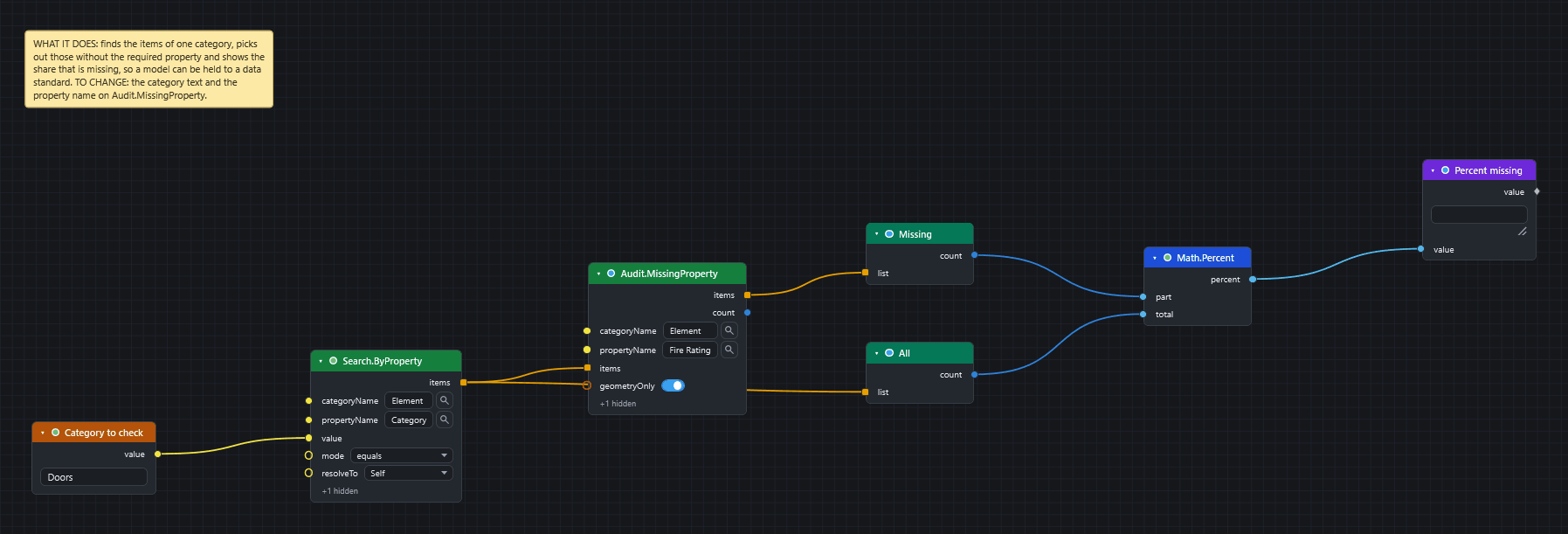
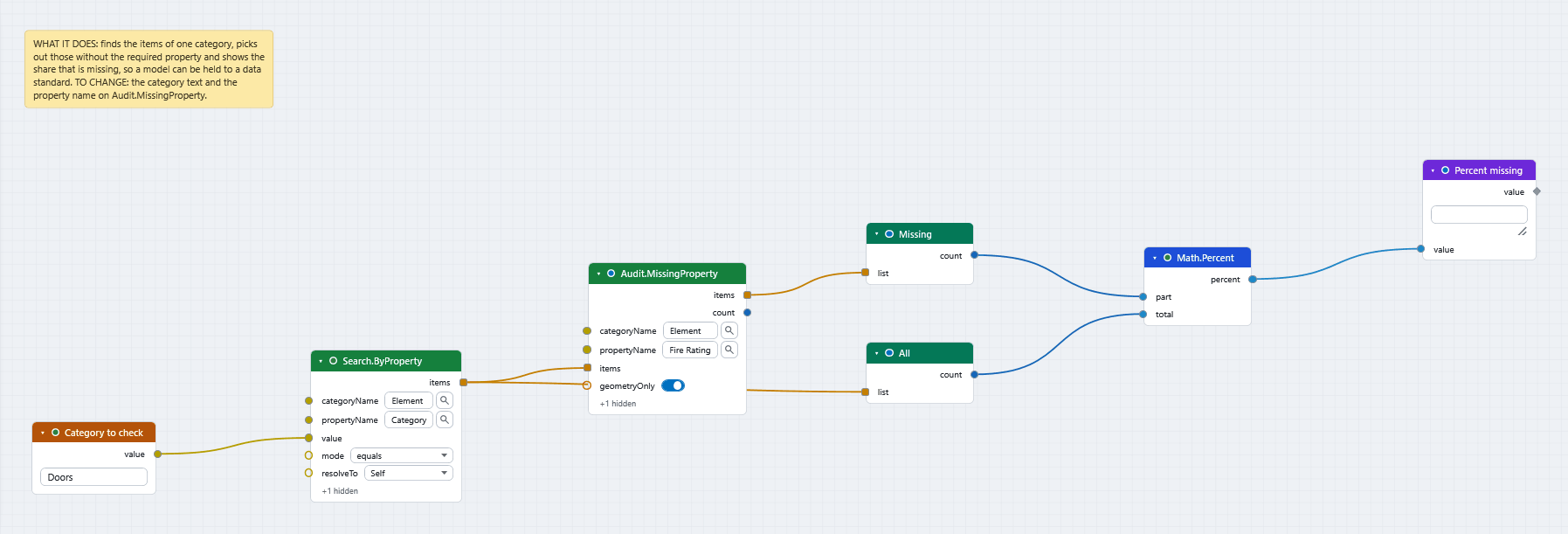
Data completeness KPI. Search.ByProperty for the category → Audit.MissingProperty for the required property → List.Count (missing) and List.Count (all) → Math.Percent → Watch.
What data does this model have? Selection.Current (or a search) → Properties.Discover → Watch Table: every category and property with how many items carry it and sample values. Use it before writing any search, so names are not guessed.
Naming rule. Properties.ToTable with the Name and category columns → Table.Filter (regex, !matches or isEmpty) → Watch Table for the offenders, Table.ToExcelFile for the list to send.
Status colours. Logic.Switch maps a status text to a colour name, and a whole column of statuses to a column of colours (a list on value is looked up element by element); or Color.Palette (colour-blind safe) with Appearance.ColorByValues.
Track change between two states. Model.Snapshot on the item set (a GUID → property values map) saved with JSON.WriteToFile; later JSON.ReadFromFile and Snapshot.Diff against a fresh snapshot.
Model maintainer / compiler
Compile the newest files. Directory.Find (pattern *.nwc;*.nwd, Advanced > sortBy modified, descending) → Document.AppendFiles → Document.Save. Put Flow.Try after a risky step so one bad file is logged with Log.Write instead of stopping the run.
Keep a log. Log.Write appends a time-stamped line (INFO, WARN, ERROR); feed it the message from String.Format ({0} files appended in {1} s).
Housekeeping on disk. File.Info (size, modified) for a report, File.Copy / File.Move (and Directory.Copy / Directory.Move for whole folders) for archiving, Zip.Create for the deliverable. These change files, so the Script Player asks before running a script that holds them.
Sets and views. SelectionSet.Info (kind, item count) over SelectionSets.All finds empty or stale sets; SelectionSet.Duplicate and SavedViewpoint.Update re-use what exists.
Automation and bulk actions
One script, many inputs. Give the script input nodes (Number, Integer, Date, Choice, File Path, Directory Path) and open it in the Script Player: the form is built from them, the values are remembered, and the same script runs from the ribbon, the Player or CamelGraph.Run.DYNC (Automation API / Batch Utility).
Run another program, call a service. System.Run (exit code, output, error) and Web.Get / Web.Post (status, body); both need Flow.Try around them if a failure should not stop the graph. Flow.Wait gives an external tool time to finish writing.
Pick the branch. Logic.Choose (by position) or Logic.Switch (by matching value) for more than two ways; If for two. They only pick a value: every branch is computed whichever is picked, so to skip nodes use Flow.When.
Open BIM integration
IFC GlobalId bridge. ModelItem.IfcGuid gives an item's 22-character IFC GlobalId; IFC.GuidDecode / IFC.GuidEncode convert to and from the standard GUID other tools use; Search.ByGuid finds the items for a list of either form (the ones it could not find come out of a second socket).
COBie / classification sheets. Table.FromExcelFile → Table.Join against Properties.ToTable on the GUID column → Properties.SetCustomFromTable (key column = the GUID column) writes each row's classification onto its item.
IDS-style requirement check. A requirements sheet (category, property, expected pattern) read with Table.FromExcelFile; for each row Search.ByProperty + List.FilterByValue (regex) → failing items to Table.ToExcelFile with the reason.
Model data and quantities
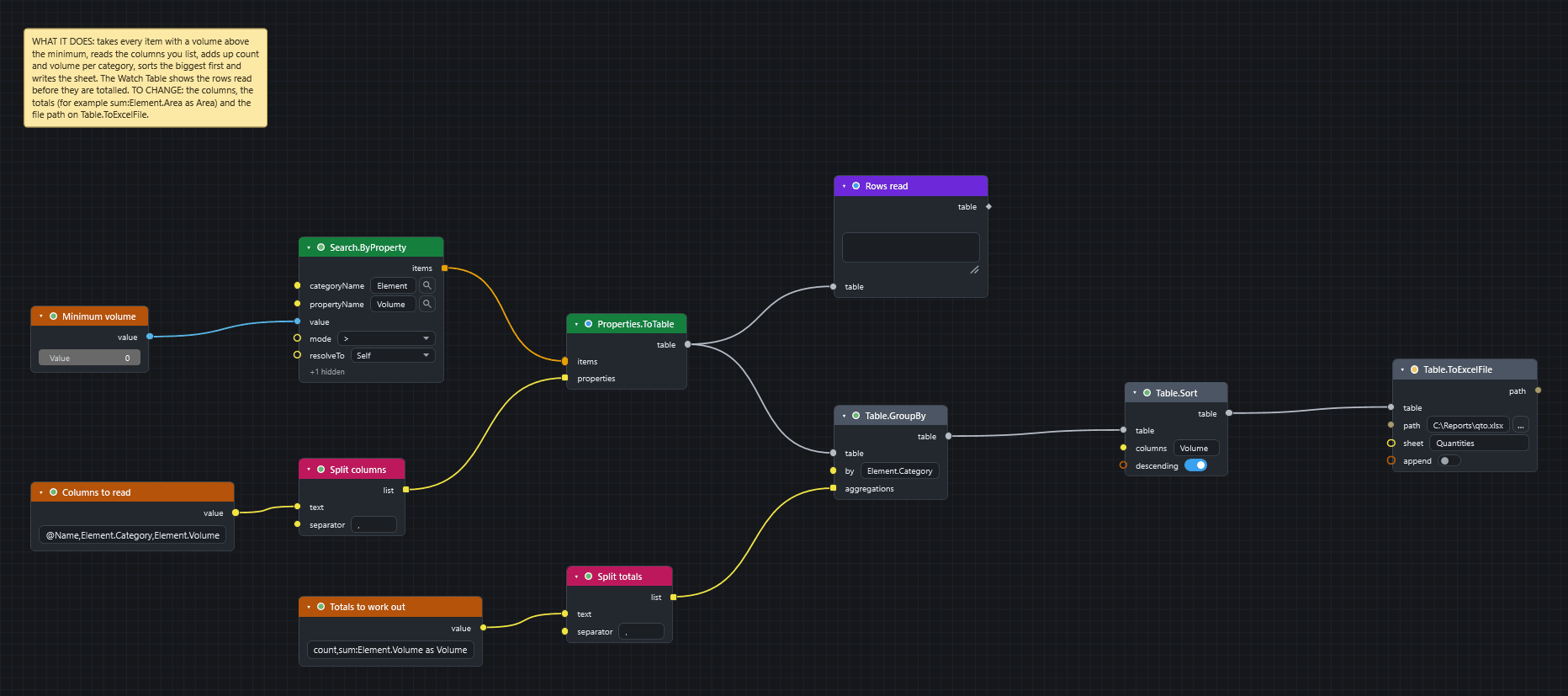
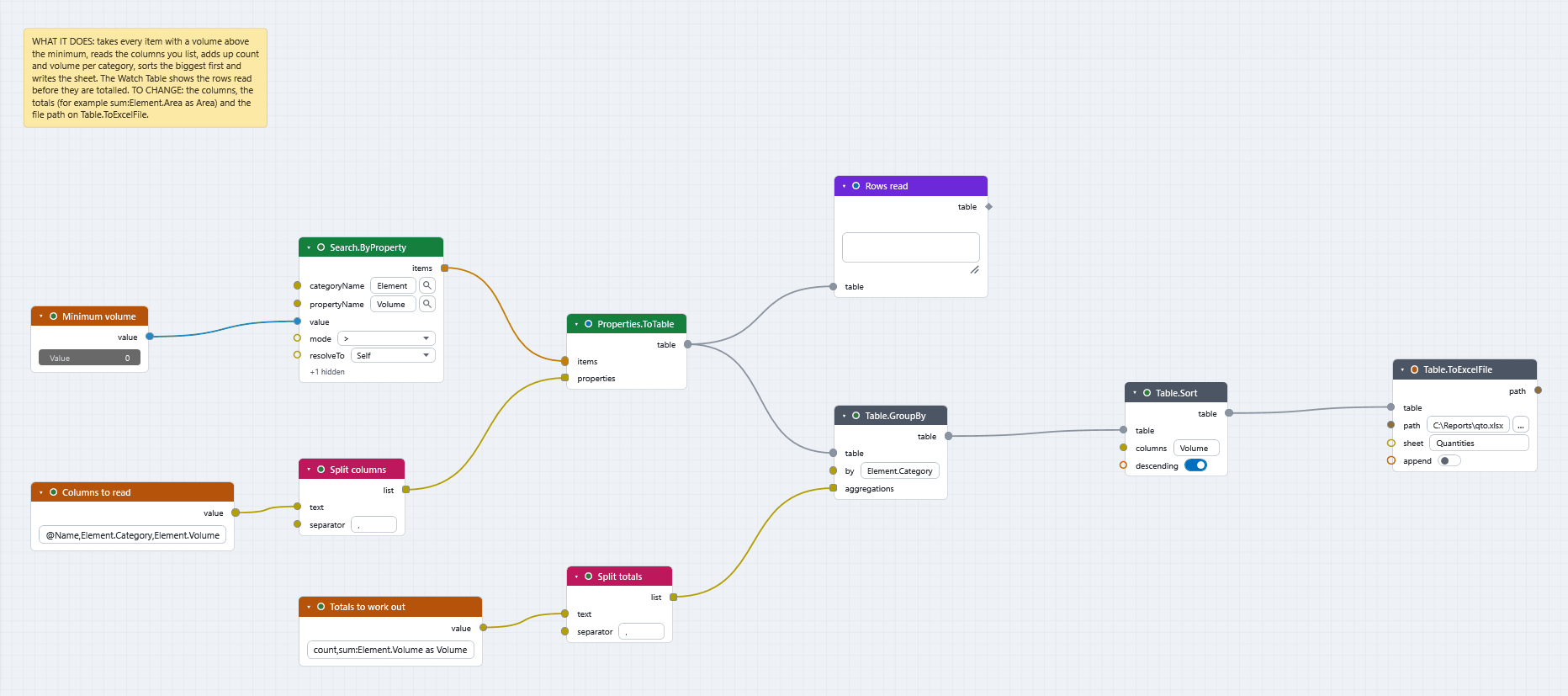
Quantity take-off. Search.ByProperty → Properties.ToTable (@Name, Item.Category, Length, Area) → Table.GroupBy (by category; count, sum:Length, sum:Area) → Table.Sort → Table.ToExcelFile. Table.AddFormulaColumn adds a column such as Length * Width / 1000000.
Cross-tab. Table.Pivot with rows = level, columns = status and count: clashes (or items) by level and status.
Distribution. List.Histogram for the bins, List.Statistics for count / min / max / average / median in one node, List.CountValues for "how many of each".
Duplicates. List.Duplicates over the GUID or mark list; Table.Distinct on a table.
Model manipulation
Focus on a set. Appearance.Focus leaves the chosen items as they are and ghosts the rest; Appearance.Reset or Appearance.ResetAll undoes it.
Everything but the selection. Selection.Invert → Appearance.Hide; Selection.Remove takes items out of the current selection.
Standard views. Camera.SetStandardView (top, front, iso …) zoomed to a set, then Viewpoint.Save per level (give folder to file them in a folder).
Move and scale. ModelItem.MoveTo puts an assembly's centre on a point; ModelItem.Scale scales about a point (a transform override, not a change to the model file).
Checked by a script: every node name above exists in docs/camelgraph-nodes.json (or is an input node / plugin id). The same is done for plans/node-library-gaps.md.