Keep a graph going when a node fails
Goal: let a graph carry on when one step can fail, for example reading a file that may be missing, and record what went wrong in a log.
Before you start
- Open the CamelGraph editor. No model is needed for this example.
- Without
Flow.Try, a node that fails turns red and the nodes after it wait with an amber "Upstream failure" warning. The rest of the graph and Navisworks are not affected. - The failing node itself still shows its red error.
Flow.Trystops that error from stopping the nodes after it.
Steps
- Add the node that may fail. In the example it is
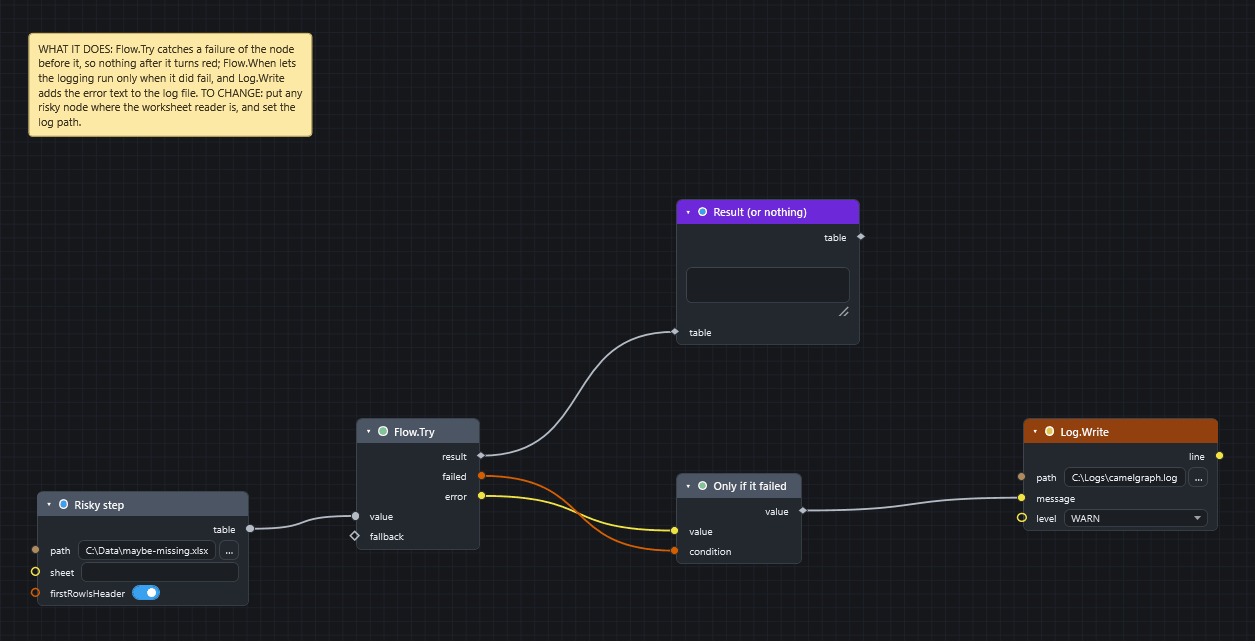
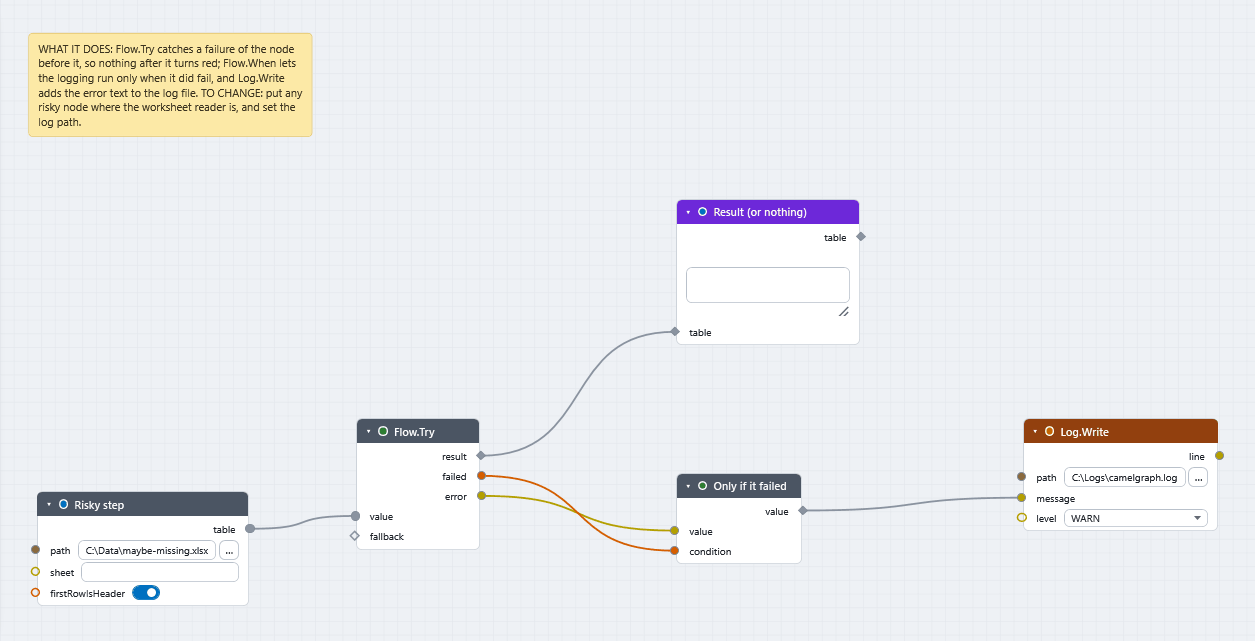
Table.FromExcelFile(Table) withpathset to a file that may not exist, such asC:\Data\maybe-missing.xlsx. Rename itRisky step. - Add
Flow.Try(Workflow). Wire the output of the risky node (table) into itsvalue. Leavefallbackempty, or wire in what the rest of the graph should use when the step fails. - Add
Flow.When(Workflow) and rename itOnly if it failed. Wire theerroroutput ofFlow.Tryinto itsvalueand thefailedoutput into itscondition. Whenfailedis true the error text passes on. When it is false the nodes afterFlow.Whenare skipped and shown idle, not red. - Add
Log.Write(File). Wire thevalueoutput ofFlow.Wheninto itsmessage. Type a full path such asC:\Logs\camelgraph.logintopathandWARNintolevel.levelcan also beINFO,ERRORorDEBUG. - Wire the
resultoutput ofFlow.Tryto the rest of your graph, for example aWatch Table(Display) namedResult (or nothing). - Press F5.
What you get
- File missing:
Flow.Trygives your fallback inresult,failedis true anderrorholds the message.Log.Writeappends one line such as2026-10-01 10:20:35 WARN messageto the log file. - File found:
resultis the table,failedis false,erroris empty.Flow.Whenis false, soLog.Writeis skipped and shown idle.
Where else to use it
Put Flow.Try around anything that can fail without it being your fault: a file that may be missing, a web call (Web.Get, Web.Post), a program (System.Run), or one bad file in a list of files to append. Turn the failed output into a decision with Flow.When, or into text with String.Format.
Failures inside a list
When a node runs once per item of a list and some items fail, you do not need Flow.Try. The failed items give an empty result, the others still compute, and the node shows one amber warning that counts the failures. List.Clean removes the empty results.
Inside a node group
Flow.Try and Flow.When work across the edge of a node group. A Flow.Try inside the group can catch a failure that arrives from outside, and a failure that a Flow.Try inside recovered does not turn the group red. A branch that Flow.When switched off leaves the group switched off, output by output, while the other outputs keep their values.
If it does not work
- Everything after
Flow.Tryis still red: the node wired intovalueis not the one that failed, or a second failing node feeds the same branch. Press I on a red node and read the status bar. Log.Writefails: use a full path to a folder you can write to (why).- Nothing runs after
Flow.When: that is correct whenfailedis false. See Nothing happens when I press Run.
Next
- Read errors and warnings.
- Concepts covers
Flow.When,Flow.Tryand loops. - Recipes uses
Flow.Trywhen compiling files.