Check how complete your data is
Goal: get a single number that says how many items in a group are missing a property they should have, for example how many doors have no Fire Rating.
Before you start
- Open a model in Navisworks and the CamelGraph editor.
- Decide which items to check (a search) and which property each one must carry. Use the names your model shows (find the names).
Steps
- Add a
Stringnode (Input). Double-click its title and rename itCategory to check. TypeDoorsas the text. - Add
Search.ByProperty(Navisworks ▸ Search) to find the items to check. TypeElementintocategoryName,CategoryintopropertyName, and leavemodeonequals. Wire theStringintovalue. - Add
Audit.MissingProperty(Navisworks ▸ Analysis). Wire the searchitemsinto itsitems. TypeElementintocategoryNameand the property each item must carry, hereFire Rating, intopropertyName. It finds the items that do not carry the property. - Add a
List.Count(List), rename itMissing, and wire theitemsoutput ofAudit.MissingPropertyinto itslist. This is the number missing. - Add a second
List.Count, rename itAll, and wire the searchitemsinto itslist. This is the number checked. - Add
Math.Percent(Math). WirecountfromMissingintopartandcountfromAllintototal. - Add a
Watch(Display), rename itPercent missing, and wirepercentinto it. - Press F5.
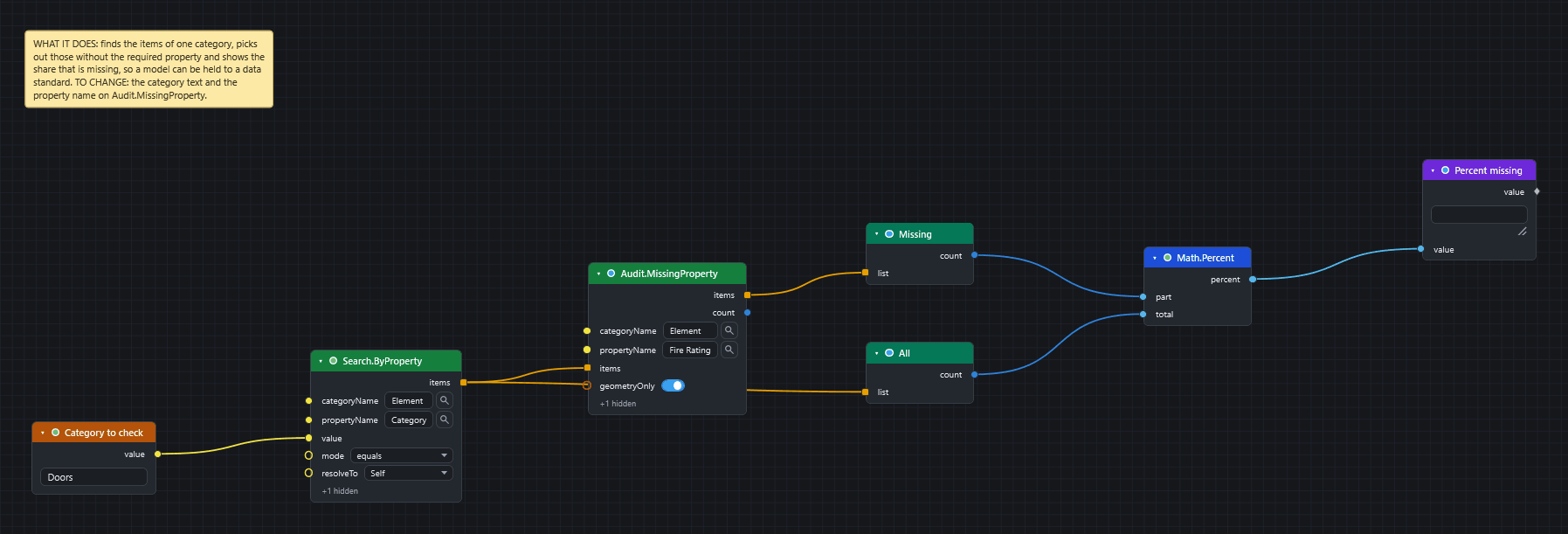
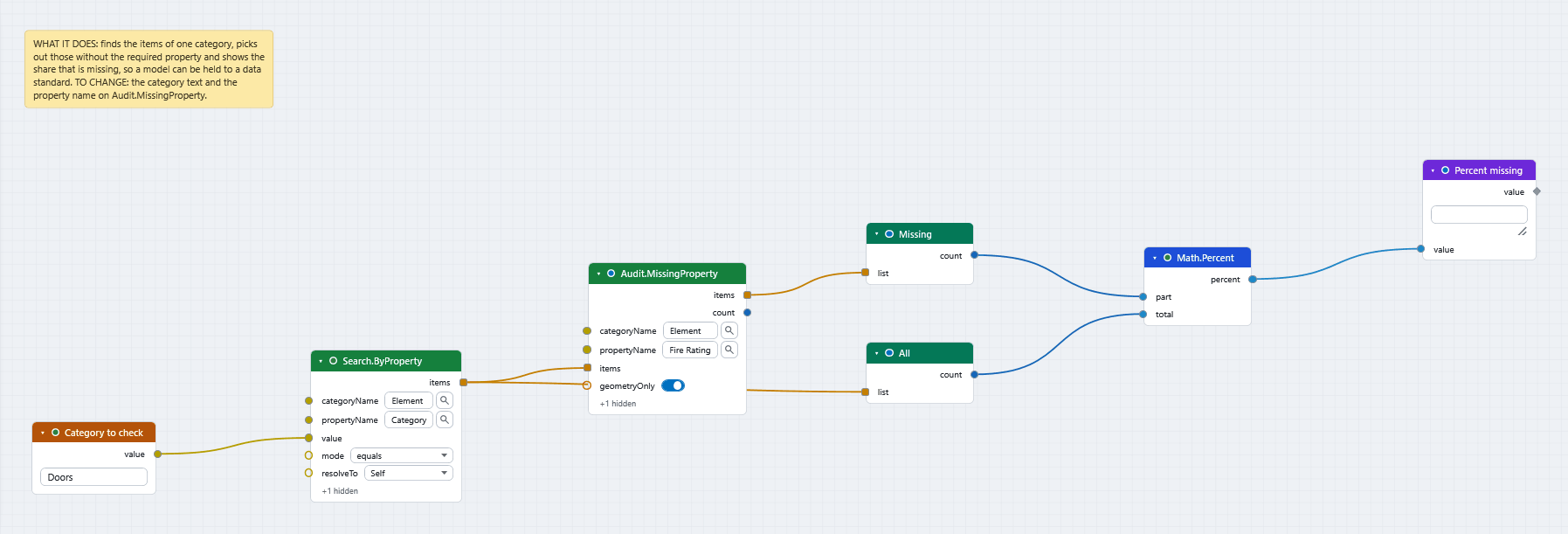
What you get
The Watch shows the share of checked items that are missing the property. Math.Percent gives part / total * 100, and 0 when the total is 0, so an empty search reads 0 rather than failing.
To show the share that has the property, add Subtract (Math) with a = 100 and b wired from percent.
To see which items are missing it, wire the items output of Audit.MissingProperty into a Watch List, or into SelectionSet.Create (Save selection sets) to keep them for review.
Both counts must cover the same items
Audit.MissingProperty looks at the items you give it and everything below them. While geometryOnly is on (the default) it reports only items that have geometry. If your search returns containers, the missing count can be larger than the checked count. If it is, change the search so that it returns the items that carry the geometry. The missing count can never exceed the checked count when both cover the same items.
Check several properties at once
propertyName wants one text. Wire a list of names into it and the node runs once per name and gives one result for each (Concepts).
If it does not work
- The checked count is 0: the search found nothing. See A search returns nothing.
- The audit is slow: it searches below every item you pass in. Pass a smaller list. See Speed up a slow graph.
Next
- Write spreadsheet data onto model items to fill the gaps.
- Take quantities out to Excel.
- Recipes has more checks for a BIM manager.