Privacy and safety
Two questions come up before a tool like this goes onto a work computer: what does it do with my data? and what can a graph do to my computer? This page answers both. The full texts are the privacy policy (also inside the app: Help ▸ Privacy Policy) and the security policy.
Privacy in short
CamelGraph does not collect your data. It has no account, no sign-in, no licence server, no analytics and no crash reporting that leaves your computer. Your models and graphs stay on your computer unless a graph you run sends them somewhere (see below).
What it keeps on your computer
All of it is in %APPDATA%\CamelGraph (on a standard install, C:\Users\<you>\AppData\Roaming\CamelGraph). None of it is sent anywhere by CamelGraph. Versions up to 0.48, when the product was called Dyncamelo, used %APPDATA%\Dyncamelo; the first start of a newer version moves that folder here.
| File | What is in it |
|---|---|
ui-settings.json |
Your preferences: theme, shortcuts, recent files, favourite nodes, Script Player folders, the last values you typed into scripts, and which graph files you agreed to run. |
errors.log |
The technical details of a failure CamelGraph caught: the error, the place in the code, the XAML file involved. An error message can name a node or a file. Model contents are not written to it. |
update-check.txt |
The date of the last update check and the last version offered. |
recovery\ |
Copies of graphs with unsaved changes, so they can be offered back after a crash. Deleted when you save. |
Help ▸ Copy Diagnostics and Help ▸ Run Self-Test put a text report on the clipboard when you ask. Your user name, computer name and profile folder are replaced in it, and no model or graph names are included. CamelGraph does not send the report anywhere; you decide whether to paste it into a bug report.
What it sends over the network
One thing, and you can switch it off.
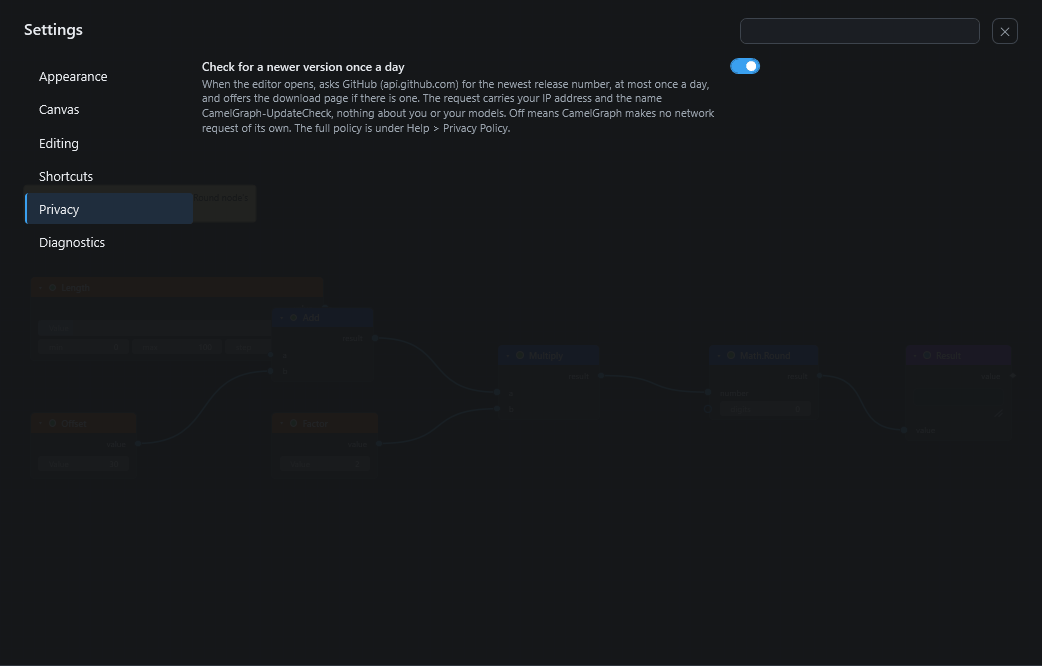
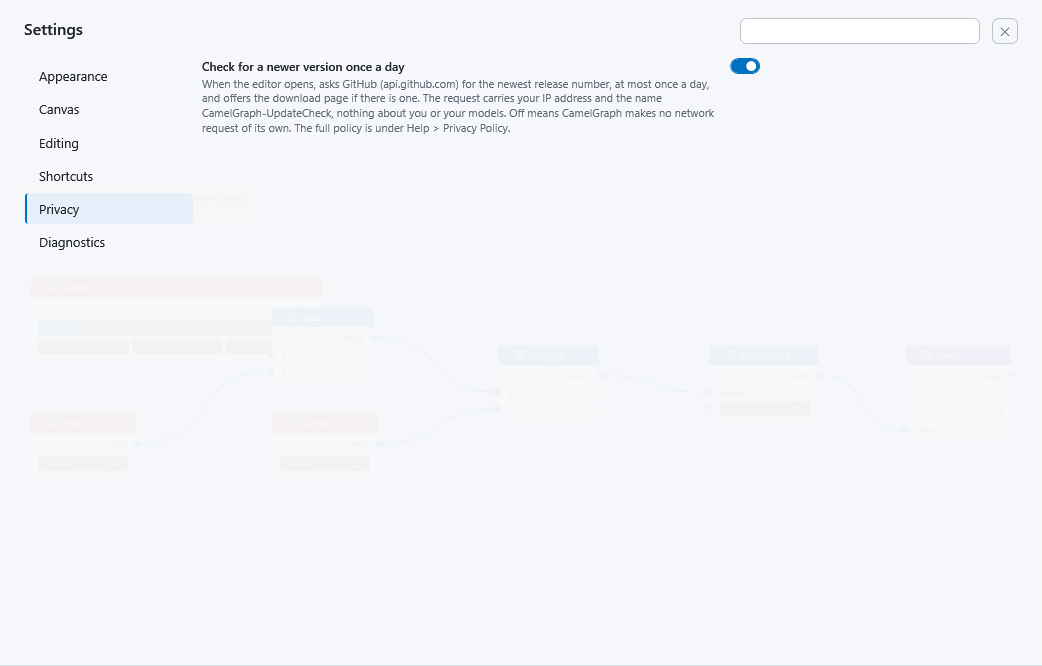
- The update check. When the editor opens, at most once a day, CamelGraph asks GitHub (
api.github.com) for the number of the newest release. The request carries your IP address and the nameCamelGraph-UpdateCheck, as any web request does, and nothing about you or your models. If a newer version exists, the start screen says so and CamelGraph asks before it opens the download page. - Switch it off: Settings ▸ Privacy ▸ Check for a newer version once a day. With it off, CamelGraph makes no network request of its own. A copy installed from the Autodesk App Store never makes the check, because the store delivers its updates.
Opening the website, the user guide or a download page from a menu or a link opens your browser at your request; that is then between you and that website.
Third parties
No advertising, analytics or tracking libraries, and nothing shared with anyone. Its libraries (Nodify, Newtonsoft.Json, AutomaticGraphLayout and others, listed in THIRD-PARTY-NOTICES.md) run inside Navisworks and contain no code that contacts the network.
Removing what it stored
CamelGraph keeps nothing on any server. Close Navisworks and delete the folder %APPDATA%\CamelGraph. The uninstaller removes the program but leaves that folder and your .dyc graphs alone (Uninstalling).
What a graph can do
A graph is a program. Only run graphs you trust.
A .dyc file has no program code of its own, but its nodes can run programs, call web addresses, and write, delete or overwrite files. Read the table below before you run a graph from someone else.
A .dyc file is plain JSON: nodes, wires and typed values. It contains no program code of its own, and there is no node that runs Python or C# code you type in. (Math.Formula and Table.AddFormulaColumn use a small arithmetic parser.) But the nodes do real work when the graph runs, and a graph can use any of them:
| A graph can… | Through these nodes |
|---|---|
| Run programs | System.Run starts any program with any arguments and returns what it prints. System.OpenPath opens a file or folder with its default application, which can start a program. |
| Call web addresses | Web.Get downloads text from an http or https address. Web.Download saves a file from one. Web.Post sends data to one, for example a web hook. |
| Delete, move and overwrite files | File.Delete, File.Move, File.Copy, Directory.Delete, Directory.Copy, Directory.Move, Zip.Extract |
| Write files | Text.WriteToFile, Text.AppendToFile, CSV.WriteToFile, CSV.AppendToFile, JSON.WriteToFile, Excel.WriteToFile, Table.ToCsvFile, Table.ToExcelFile, Log.Write, Directory.Create, Zip.Create, Web.Download (and the delete, move and overwrite nodes above) |
| Read files and facts about your computer | Text.ReadFromFile, CSV.ReadFromFile, Excel.ReadFromFile, JSON.ReadFromFile, XML.ReadFromFile, Directory.Find, System.Environment (user name, computer name, well-known folders). A graph can read a file and send it away with Web.Post. |
| Change the open model, or the files Navisworks writes | The Navisworks nodes that change the document, for example Appearance.OverrideColor, Appearance.Hide, SelectionSet.Create, Properties.SetCustom, ModelItem.Translate, Document.Open, Document.Save, Model.Remove, Export.ToIfc, BCF.ExportIssues. |
Zip.Extract refuses archive entries that would land outside the target folder.
Also know that:
- Node packs are code. CamelGraph loads every
.dllit finds in your node packs folder (%APPDATA%\CamelGraph\Packages, and aPackagesfolder next toCamelGraph.App.dllfor packs installed the old way) when it builds the node library. That code runs inside Navisworks with your rights and can do anything a Navisworks add-in can. Install packs only from authors you trust. - The command-line tool does not ask.
CamelGraph.Cli(built from source, not part of the installer) runs a graph without any question. It cannot use the Navisworks nodes.
Running graphs from other people
CamelGraph asks before it runs a graph that can do real harm:
- Editor. When you run a graph that was opened from a file and contains nodes that run programs, use the network, write, delete, move or overwrite files, or change the Navisworks model, the editor lists those nodes, says what each one does ("writes files: Text.WriteToFile", "changes the model: Clash.GroupResults") and asks first. You are asked once per file, and again only if the file changes. A graph saved with run mode Auto is not run when you open it: the status bar says so, and you press Run to review it first. Graphs you make in the editor and the built-in samples never ask. Switch this off with Settings ▸ Editing ▸ Ask before running graphs from files.
- Script Player. A script that contains nodes that change the model, write or change files, run programs or use the network is listed above its form, with what its nodes do ("Changes the model: Isolate Walls; writes files: Log.Write"), and the first time you run it, and again whenever the file changes, the Player asks you to confirm. Scripts that only read are never asked about. The answer is remembered for that file as it is now.
CamelGraph.Run.DYNC(the Automation API and the Batch Utility) asks the same question. - Muted and frozen nodes do not count.
Advice:
- Treat a
.dycfile like a macro or a script. Do not run graphs from e-mail attachments or unknown downloads without reading them first. - Before you run a graph from someone else, look at it. Press Ctrl+F and search the canvas for
System,Web,File,DirectoryandZip, and check what the Navisworks nodes in it will change. - Try an unknown graph on a copy of the model, with a normal user account, not on a machine that holds anything you cannot afford to lose.
- Say no to the question if you are not sure what the listed nodes will do.
Downloads
- Download CamelGraph only from the releases page or from bimcamel.com. The professional copy will come from the Autodesk App Store, which is coming soon.
- The installer is not code-signed unless the publisher configured a certificate, so Windows SmartScreen may warn about it (More info ▸ Run anyway). Each release publishes a SHA-256 checksum next to every download; compare it with
Get-FileHash .\CamelGraphSetup.exe -Algorithm SHA256. - The installer works per user, in
%APPDATA%\Autodesk\ApplicationPlugins\CamelGraph.bundle, and needs no administrator rights.
Reporting a security problem
Please report a vulnerability privately, with GitHub's private security advisories: open the repository's Security tab, then Report a vulnerability (direct link: https://github.com/mrshoma99-rgb/dyncamelo/security/advisories/new). Say which CamelGraph version and Navisworks year it affects and how to reproduce it; a small .dyc file that shows the problem helps a lot. Please do not open a public issue or post details before it is fixed.
What counts: a .dyc file that makes CamelGraph do something harmful without any of the nodes in the table above, a way round the questions it asks, or the installer writing outside its own folder or running a file it should not. What does not count: a graph doing what its nodes say after you chose to run it. Only the latest release gets security fixes.
Next steps
- Settings shows where to switch off the update check.
- The Script Player shows the question for scripts that change things.
- Saving and opening scripts covers sharing a script safely.